You want to have all notes from the catalog displayed.
| Settings | Notes | Overview |

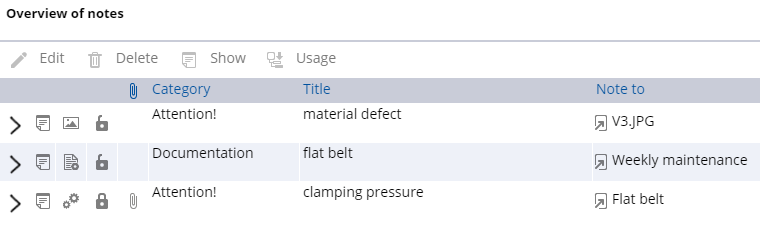
Notes overview
- You can view, edit, delete notes directly in the overview and query the usage (installation location) of parts/assemblies in the catalog.
- Clicking in the column header sorts the contents alphanumerically in ascending/descending order.
Icons in the notes overview:
| Notes available |
| Note on parts list position (installation location) |
| Note on material |
| Notes for document/chapter |
| Notes for drawing |
| Private note |
| Public note |
| Note with attachment |
| Jumps directly to the article/drawing/document/chapter in the catalog. Click The note(s) will be displayed:
Note on flat belt |